Step 1: Activate and Verify Your Account (One-Time Setup)
When your account is ready, you will receive an official invitation email to kick off your onboarding.
- Look for an email invitation sent from noreply@hirebloom.com.
- Open the email and click the unique activation link.
- Complete the initial signup form.
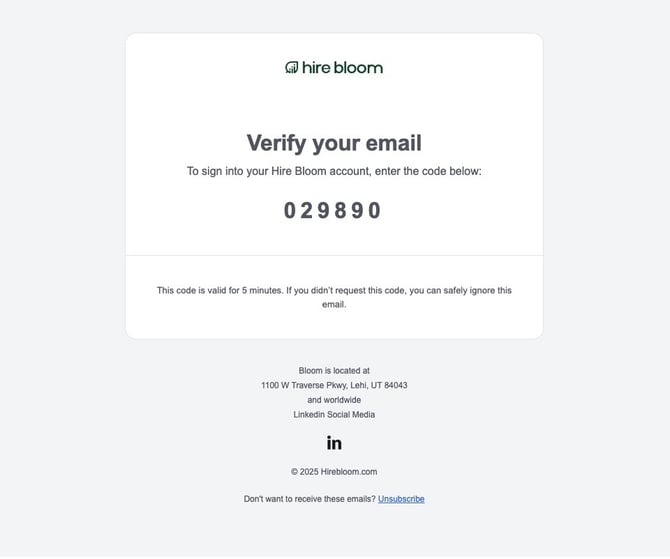
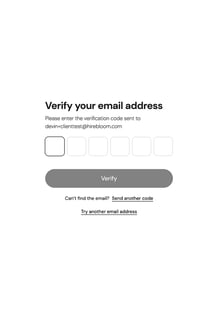
- Verify Your Email: Before you can access the dashboard, check your inbox for an account verification email containing a unique 6-digit verification code. Enter the verification code provided to unlock your account.
⚠️ Missing your invite? If the invitation hasn't arrived, double-check your spam folder or reach out directly to your designated HireBloom support contact to have it resent.

Step 2: Ongoing Log In (Passwordless Access)
Once your account is fully verified and active, you won't need to create or memorize a password to log in in the future.
- Navigate to https://portal.hirebloom.com.
- Enter your registered email address.
- Check your inbox for a secure, temporary login code.
- Enter the code into the portal and click Verify login code to enter your dashboard.
Step 3: Navigating Your Live Dashboard
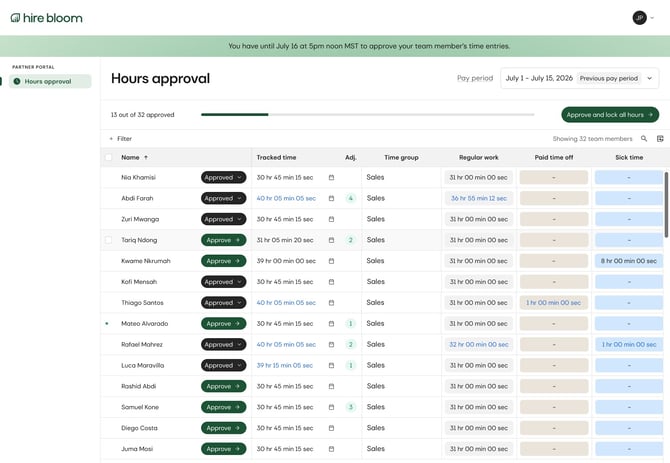
Once you are logged in, take a brief moment to familiarize yourself with the interface, which provides a live, rolling view of your team's activity throughout the pay period:
- Team Members: Displays a list of all current talent associated with your account.
- Total Time Tracked: Shows a running tally of total hours logged across your entire team for the current open pay period.
- Calendar View: Gives you a detailed visual, day-by-day breakdown of actual daily time entries.
- Hours by Time Type: Displays an itemized breakdown of hours. Time types could include regular hours, overtime, PTO, and sick leave (if applicable). Time types depend on each client's preferred configurations.
- Approve Button: Located on each team member's row, this is used to finalize and lock in hours at the close of the pay period.