
Overview
To keep payroll processing accurate and predictable, the HireBloom dashboard organizes all tracked time and adjustments into distinct, isolated time blocks called pay periods.
How HireBloom Pay Periods Work
Pay periods on the platform run semi-monthly for roughly two weeks at a time, splitting each calendar month into two distinct cycles:
- First Half of the Month: Runs from the 1st of the month to the 15th of the month. (e.g., June 1st to June 15th)
- Second Half of the Month: Runs from the 16th to the last day of the month (e.g., June 16th to June 30th)
How to View Different Pay Periods
By default, logging into your portal will display the hours for the current, active pay period. However, you can change your dashboard view at any time to audit hours or look up past periods.
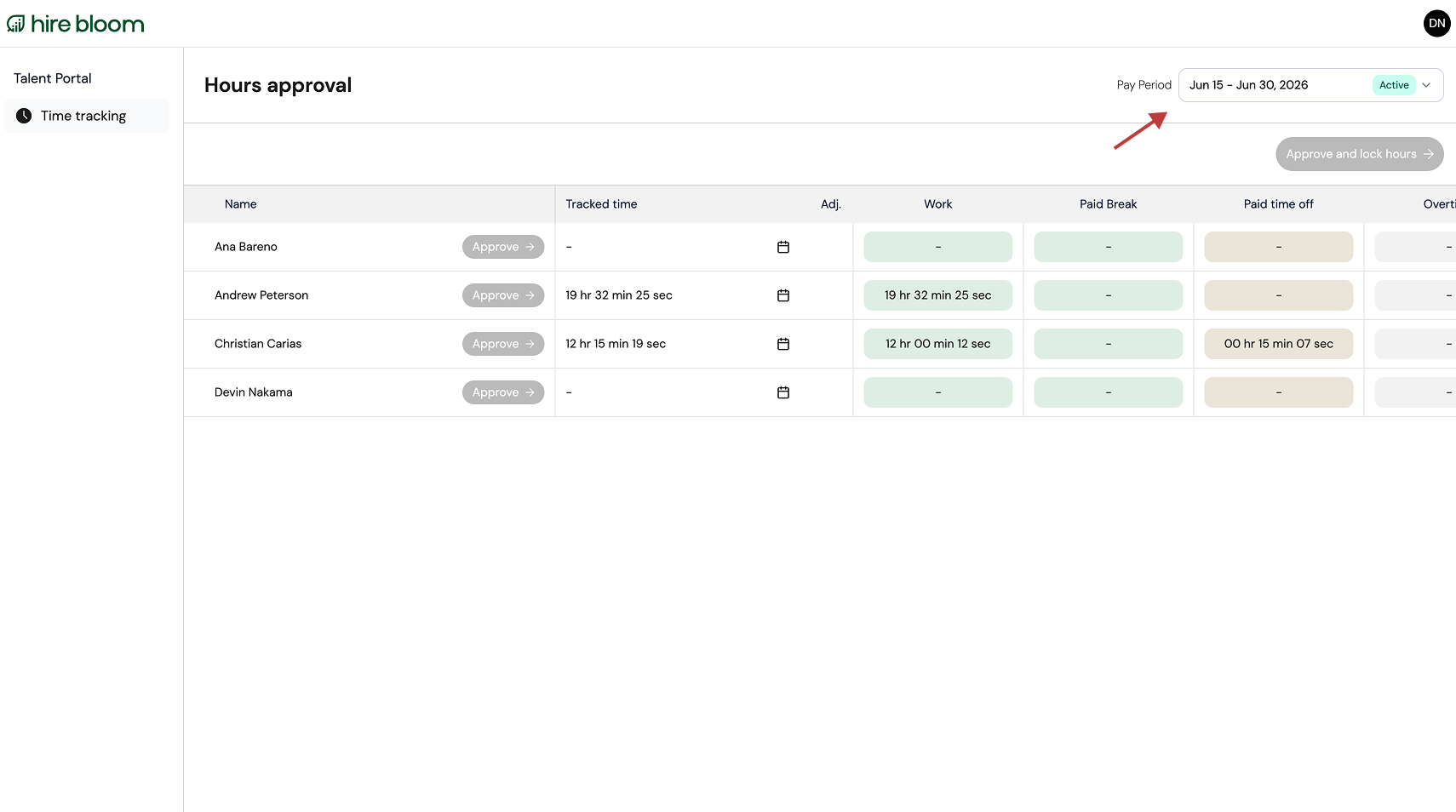
- Navigate to the top right corner of the Hours approval dashboard.
- Locate the Pay Period selector dropdown menu.
- Click the dropdown to reveal a list of available date windows.
- Select the specific pay period timeframe you wish to review. The main summary table will instantly reload to show the metrics for that duration.
💡 Quick Reminder: While historical pay periods remain permanently visible for your review, they are view only. Manual adjustments can only be initiated for current or future pay periods.